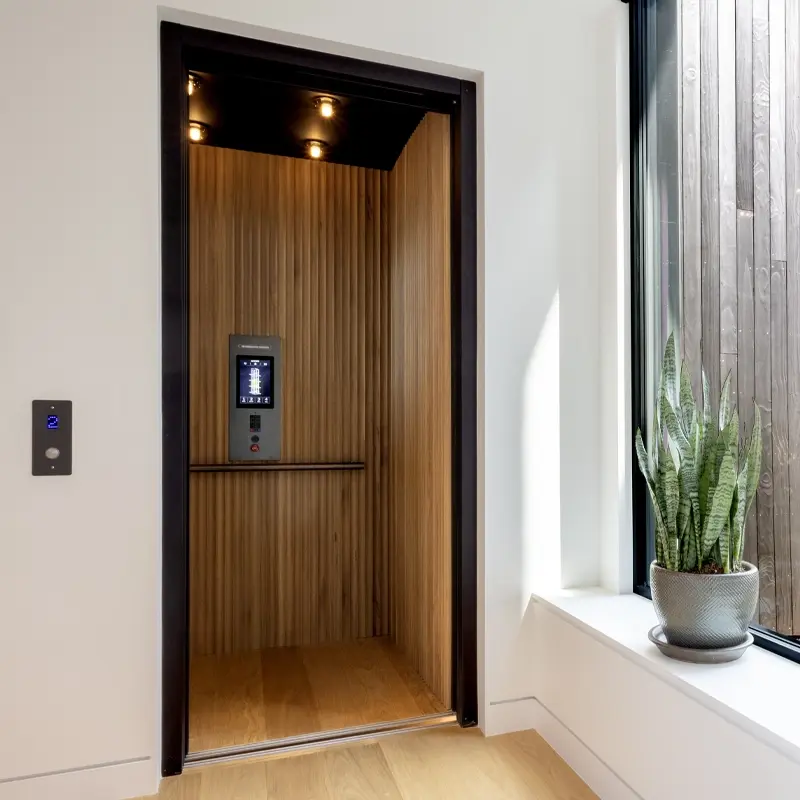

Home elevator
Luxury Touchscreen COP
Savaria Touchscreen COP
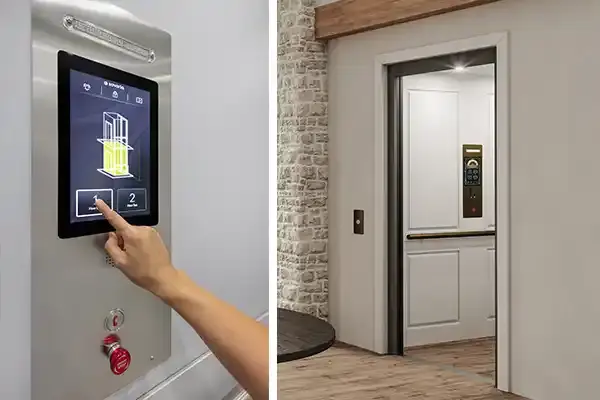
Add a modern touch to your Savaria home elevatorThe Savaria touchscreen COP (cab operating panel) provides control for the operation of your home elevator on the large glass screen. This option is available for the Savaria Eclipse, Infinity, and Zenith models.
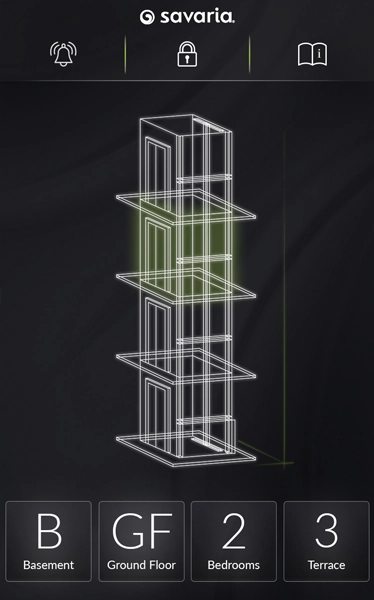
Choose from four themes to suit your décor or your mood of the moment with a simple swipe. Each theme features animated movements or actions. Customize each landing name when you order your elevator. For example, your basement recreation area might be “Game Den” or “Man Cave.”
See the video to learn more.
Accessible version of our videos available here.
The Four Themes
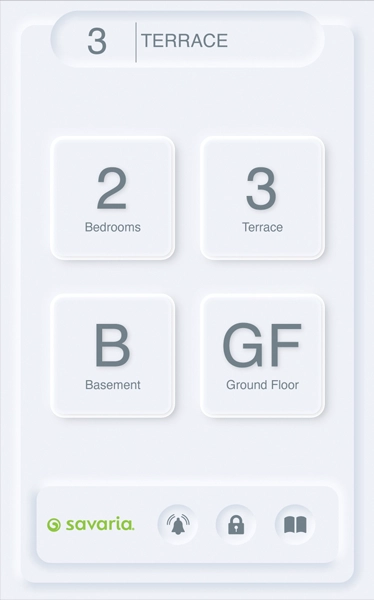
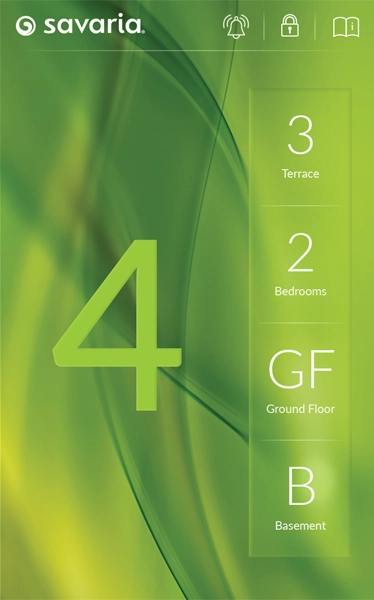
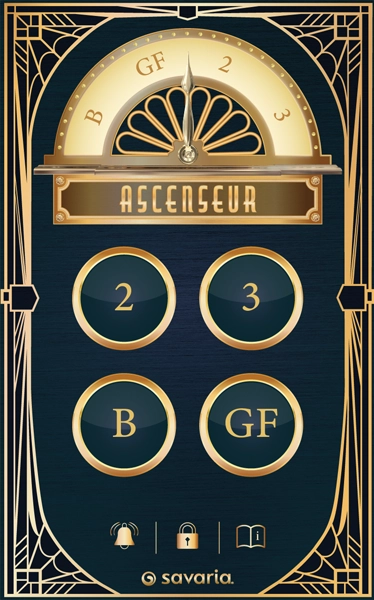
Smart Controls Made Simple
The touch screen also gives you easy access to elevator information such as the capacity, how to operate the elevator, and the emergency procedure. It also has a lock-access button to prevent unwanted use of your elevator and allows you to request a PIN for use. A physical emergency stop button and phone keypad or One Touch Alert button are integrated below the screen on the metal COP panel.
Should there be a power failure while you are inside the elevator, the touch screen is powered automatically with a battery back-up system. By pressing a floor button (landing) below you, the elevator will lower and unlock the elevator gate for you to exit the cab.
You can also access the information for your installing dealer that was pre-programmed into your elevator when installed.
Please note this upgrade is not available for concurrent landing models (two-doors at one landing), and the screen does not meet A117.1 accessibility guidelines.
At Your Fingertips
COP features
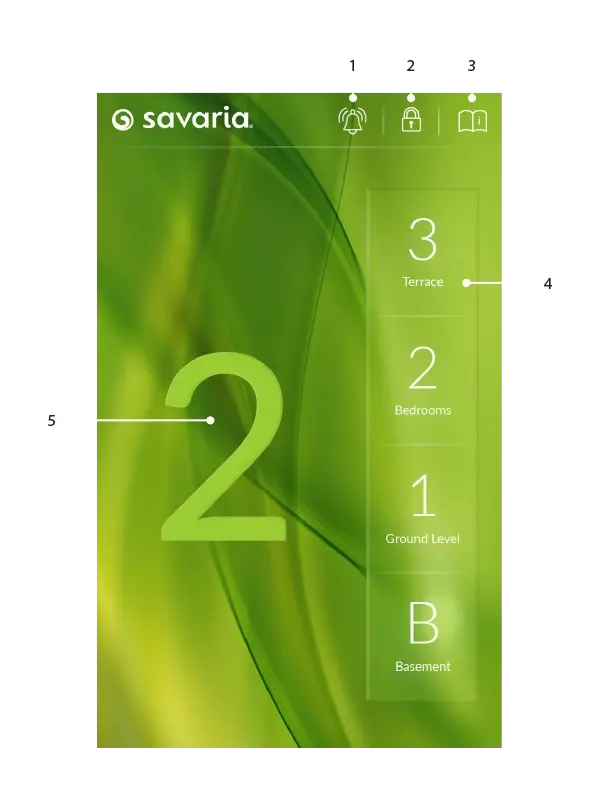
- Activate the alarm
- Lock access to the elevator
- Access simple elevator operating instructions
- Customize landing names when you order your elevator
- Swipe to change the theme
Cab Operating Panel
Choose a model and finish
Your home elevator must include a phone or the One Touch Alert system for emergency use. You will need to provide a landline connection for a phone, or a prepaid nano SIM card for the One Touch Alert, and your installing dealer will connect either device. You can choose an integrated phone keypad for the cab operating panel, or a phone box with traditional handset. Alternatively, add the single button One Touch Alert to the COP. Choose a finish for the metal panel.
Touch Screen Specifications

Screen size
6 ½" x 10" (169 mm x 258 mm)

Resolution
1280 by 800 pixels

Active screen area
5 ⅜" x 8½" (135 mm x 217 mm)

Viewing
Full angle (IPS)

Brightness
800 cd/m2 (high) with 45 LEDs

Glass
1.1 mm cover, multi-touch, anti-glare
Luxury, redefined
Discover how a touchscreen COP adds a refined finishing touch to this luxury home elevator.